
Thermal paste for a CPU is far more than just a simple grease; it is a critical interface material that determines how effectively a processor can shed heat under both everyday use and extreme workloads. Acting as a thermal bridge between the CPU’s integrated heat spreader and the cooler, it fills microscopic imperfections on both surfaces that would otherwise trap air and reduce heat dissipation.
The quality and type of thermal paste can significantly impact CPU performance, system stability, and noise levels, as inadequate heat transfer forces fans to spin faster and can trigger thermal throttling. Modern thermal pastes range from ceramic and carbon-based compounds, which are safe and reliable, to metallic and liquid metal pastes.
| Aspect | Details |
| Thermal Paste for a CPU | Acts as a thermal bridge between the CPU and the cooler, filling microscopic gaps to improve heat transfer. |
| Benefits | Efficient heat transfer, system stability, quieter operation, extended CPU lifespan, improved overclocking potential. |
| Types | Metal-based, Ceramic-based, Carbon/Silicone-based, Liquid Metal, Specialty (Phase-Change/Nanotube). |
| Thermal Conductivity | Ranges from low (~1–3 W/mK) for silicone/carbon to extremely high (~30–40 W/mK) for liquid metal. |
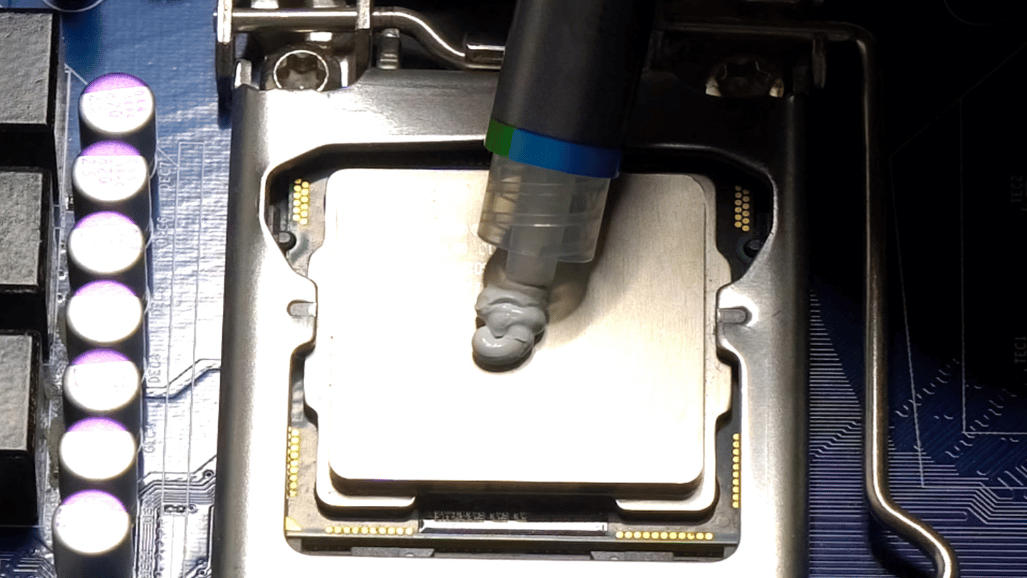
| Application | Pea-sized dot for standard CPUs, line/cross for large CPUs; ensure even mounting and avoid excess. |
| Replacement Interval | Standard CPUs: 2–3 years; Overclocked/high-performance CPUs: 6–12 months. |
| Precautions | Conductive pastes can short-circuit; liquid metal may corrode aluminum; always check compatibility. |
| Popular Brands | Arctic Silver 5, Noctua NT-H1/NT-H2, Thermal Grizzly Kryonaut/Conductonaut, Cooler Master MasterGel. |
Thermal Paste for a CPU
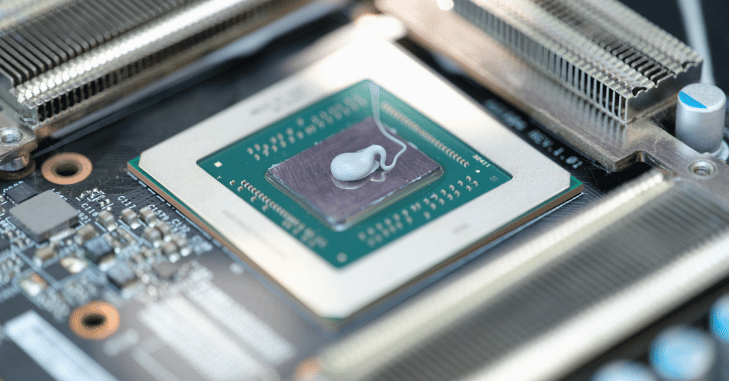
Thermal paste for a CPU is a crucial yet often overlooked component in any computer system, acting as the bridge between the processor and its cooling solution. Its primary purpose is to fill the microscopic gaps between the CPU heat spreader and the base of the cooler, ensuring efficient heat transfer from the processor to the heatsink or water block.
Without thermal paste, these tiny air pockets act as insulators, drastically reducing the efficiency of the cooling system and causing higher operating temperatures. High-quality thermal pastes are designed to maintain consistent thermal conductivity over time, resisting drying, cracking, or pumping out during repeated heating and cooling cycles.
Proper application is critical; too little paste leaves air gaps, while too much can spill over and, in some cases, pose a short-circuit risk, especially with electrically conductive pastes. Beyond protecting the CPU, thermal paste also contributes to system stability and quieter fan operation.
Why Thermal Paste Is Critical?
Using thermal paste correctly provides several key benefits for CPU performance and system stability. Firstly, it enables efficient heat transfer, ensuring the CPU maintains safe operating temperatures even under heavy workloads. This helps achieve improved system stability, preventing thermal throttling, where the processor automatically reduces performance to avoid overheating.
Proper thermal conduction also contributes to an extended CPU lifespan, as excessive heat over time can degrade the processor. Additionally, effective heat transfer allows fans to operate at lower speeds, resulting in quieter system operation. For enthusiasts, a high-quality thermal paste enhances overclocking potential, enabling higher stable clock speeds without excessive temperatures.
Types of Thermal Paste
Thermal pastes vary in composition, performance, and safety. Here’s a detailed breakdown:
1. Metal-Based Thermal Paste
- Composition: Finely powdered metals like silver, aluminum, or copper in a base compound.
- Thermal Conductivity: High (~8–13 W/mK).
- Advantages: Excellent for overclocking and high-performance CPUs.
- Disadvantages: Electrically conductive; improper application can cause short circuits.
2. Ceramic-Based Thermal Paste
- Composition: Non-metallic ceramic powders like zinc oxide in a silicone or synthetic base.
- Thermal Conductivity: Moderate (~3–5 W/mK).
- Advantages: Safe for all CPUs; non-conductive and easy to apply.
- Disadvantages: Slightly lower cooling performance than metal-based pastes.
3. Silicone-Based / Carbon-Based Thermal Paste
- Composition: Silicone or carbon compounds.
- Thermal Conductivity: Low to moderate (~1–3 W/mK).
- Advantages: Affordable, electrically safe, durable over time.
- Disadvantages: Not ideal for overclocked or high-TDP CPUs.
4. Liquid Metal Thermal Paste
- Composition: Gallium or indium-based alloys.
- Thermal Conductivity: Extremely high (~30–40 W/mK).
- Advantages: Best cooling performance; ideal for extreme overclocking and high-TDP CPUs.
- Disadvantages: Conductive, can corrode aluminum surfaces, difficult to apply, and expensive.
5. Specialty Pastes (Phase-Change and Nanotube)
- Phase-Change Pastes: Solid at room temperature, liquefy under heat for better surface contact.
- Nanotube Pastes: Use carbon nanotubes to improve thermal conductivity; high-performance but expensive.
How Thermal Paste Works?
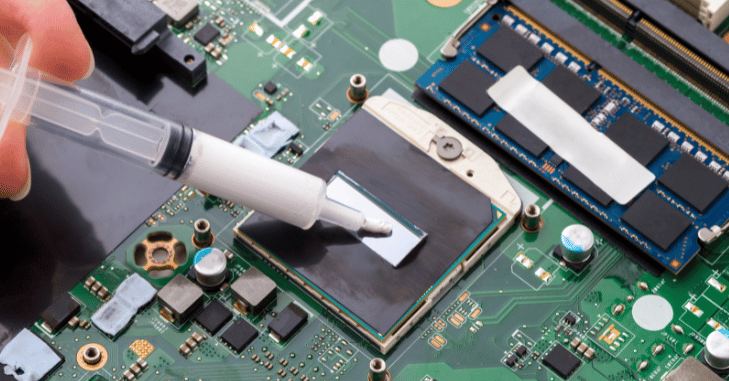
The efficiency of thermal paste is primarily measured by its thermal conductivity, expressed in watts per meter-kelvin (W/mK), with higher values indicating better heat transfer. Thermal paste works by filling the microscopic gaps between the CPU and cooler, as air trapped in these spaces is a poor conductor of heat.
By doing so, it increases the surface contact, ensuring that the entire CPU heat spreader makes proper contact with the cooler for maximum heat dissipation. Additionally, high-quality thermal pastes maintain stability under repeated heat cycles, resisting drying, cracking, or “pumping out” over time, which helps sustain consistent thermal performance and protects the CPU from overheating.
How to Apply Thermal Paste Correctly?
Proper application is crucial to achieve optimal cooling. Here’s a step-by-step guide:
Clean the Surfaces
- Use isopropyl alcohol (90%+) and a lint-free cloth or coffee filter.
- Remove old thermal paste from the CPU and cooler base.
Apply the Right Amount
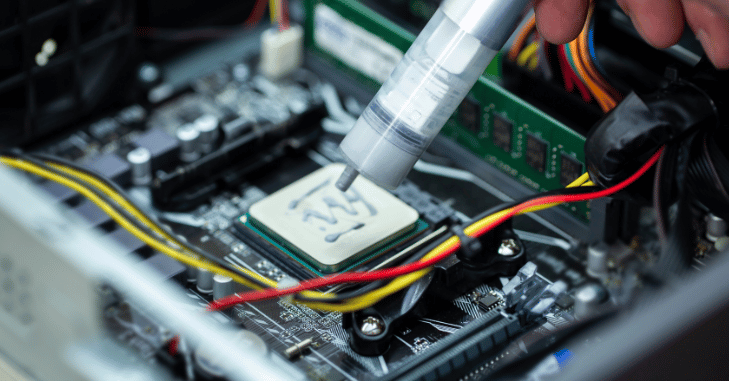
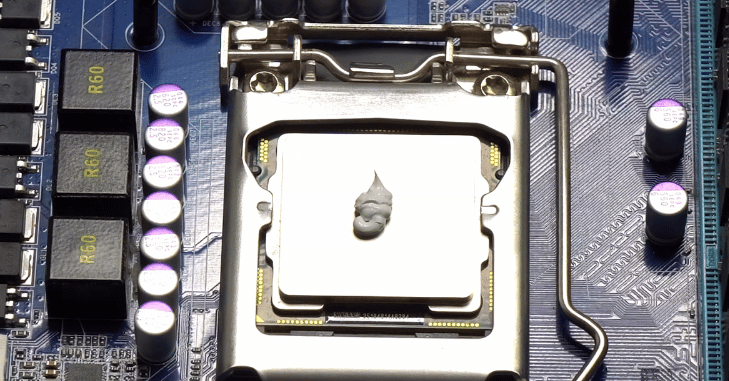
- For most CPUs, a pea-sized dot in the center works best.
- For larger CPUs (e.g., AMD Threadripper), a line or cross pattern may cover the heat spreader better.
Install the Cooler
- Carefully place the cooler without sliding it side-to-side to avoid air bubbles.
- Tighten screws evenly to spread the paste uniformly.
Monitor Temperatures
- Use software like HWMonitor, Core Temp, or Ryzen Master to track CPU temps.
- If temperatures are abnormally high, check the paste application and reapply if necessary.
Avoid Common Mistakes
- Too much paste can reduce efficiency or spill onto the motherboard.
- Too little paste may leave air pockets.
- Never mix different pastes together.
How Often Should Thermal Paste Be Replaced?
Thermal paste naturally degrades over time, losing its effectiveness in transferring heat from the CPU to the cooler. Signs that it may be time to replace the paste include unusually high CPU temperatures, the presence of dry, crusty, or hardened paste, and frequent removal of the cooler, which can disturb the original application.
For most standard desktop CPUs, it is recommended to replace thermal paste every two to three years to maintain optimal performance. However, for overclocked or high-performance systems that generate more heat, replacement should be done more frequently, typically every six to twelve months, to ensure consistent cooling and system stability.
Compatibility and Precautions
- CPU Materials: Metal-based pastes may corrode aluminum surfaces; use ceramic or carbon paste if unsure.
- Cooler Base: Liquid metal pastes require copper or nickel-plated surfaces to avoid corrosion.
- Electrical Safety: Conductive pastes (metal or liquid metal) can cause short circuits if spilled.
Advanced Tips for Optimal Performance
- Preheating: Some high-end thermal pastes reach optimal performance after a few thermal cycles.
- Reapplication After Cleaning: Always clean and reapply when removing the cooler.
- Overclocking Consideration: High-performance or liquid metal pastes reduce peak temperatures by 5–15°C compared to standard pastes.
- Environmental Factors: Dust and airflow also impact CPU cooling; thermal paste alone is not enough.
Best Thermal Paste Brands
Some of the most trusted thermal paste options on the market cater to different performance needs and budgets. Arctic Silver 5 is a metal-based paste known for its excellent thermal conductivity, making it ideal for overclocking and high-performance CPUs. Noctua NT-H1 and NT-H2 are non-conductive pastes that are durable, easy to apply, and safe for all types of CPUs, offering reliable performance for most users.
Cooler Master MasterGel offers a budget-friendly solution that delivers solid performance for everyday use. For those seeking the absolute best cooling, Thermal Grizzly Conductonaut is a liquid metal paste that provides extreme thermal conductivity, though it requires careful handling due to its electrical conductivity and potential to corrode certain surfaces.
Conclusion
In conclusion, Thermal paste for a CPU is an essential component for maintaining CPU performance, stability, and longevity, far beyond its role as a simple grease. By filling microscopic gaps between the CPU and cooler, it ensures efficient heat transfer, prevents thermal throttling, and allows systems to operate quietly and reliably under both normal and extreme workloads.
The type and quality of thermal paste, from ceramic and carbon-based compounds to metal and liquid metal formulations, directly influence cooling efficiency, overclocking potential, and system safety. Proper application and timely replacement are crucial, as degraded or improperly applied paste can lead to higher temperatures.
Want to know about Internal Hard Drive for the PS5: Expand Storage with High-Speed M.2 NVMe SSDs for Seamless Gaming, Fast Load Times, and Future-Proof Performance Check out our AI Tech category.
FAQs
Thermal paste is a critical interface material that fills microscopic gaps between a CPU and its cooler, ensuring efficient heat transfer. Without it, trapped air acts as an insulator, leading to higher temperatures, reduced performance, and potential hardware damage.
For standard desktop CPUs, thermal paste should be replaced every 2–3 years. High-performance or overclocked systems may require replacement every 6–12 months, especially if temperatures are higher than usual or the paste appears dry or crusty.
Thermal pastes include metal-based (high conductivity, good for overclocking), ceramic-based (safe and non-conductive), carbon/silicone-based (affordable and durable), liquid metal (extreme performance but tricky to handle), and specialty pastes like phase-change or nanotube formulations.
Apply a small, pea-sized dot in the center of the CPU (or a line/cross for larger CPUs). Place the cooler evenly without sliding to avoid air bubbles, then tighten the screws gradually. Too much or too little paste can reduce efficiency or create electrical risks.
Yes. High-quality pastes enhance heat transfer, reduce CPU temperatures, prevent thermal throttling, allow quieter fan operation, and improve overclocking potential by enabling higher stable clock speeds.
No. Metal and liquid metal pastes are electrically conductive and may corrode certain surfaces. Ceramic and carbon-based pastes are safer for all CPUs. Always check compatibility with your CPU heat spreader and cooler base before use.