

A 17 inch laptop makes sense when screen space matters more than carrying the smallest possible computer. These machines work especially well at a desk, where their larger displays improve multitasking and viewing comfort. The right choice still depends on display quality, weight, performance, battery life, and price.
Large notebooks also deserve closer comparison in 2026. Manufacturers increasingly offer 16-inch and 18-inch machines alongside traditional 17-inch models. That wider choice makes screen size only one part of a smart buying decision.
A 17-inch notebook is usually best for home offices, gaming, creative work, and users who want more visible workspace. Check the actual display quality, weight, processor, graphics, memory, storage, ports, and battery before buying. Compare 16-inch alternatives too, because they can offer similar workspace with easier portability.
Quick 17-Inch Laptop Buying Checklist
| Feature | Good starting point | Consider more when |
|---|---|---|
| Display | Full HD or better IPS panel | You edit photos, videos, or detailed graphics. |
| RAM | 16GB | You edit videos, run virtual machines, or multitask heavily. |
| Storage | 512GB SSD | You store large games, media, or project files. |
| Processor | Recent Core, Core Ultra, or Ryzen chip | You render, compile, or perform heavy creative work |
| Graphics | Integrated graphics | Choose dedicated graphics for gaming or 3D work. |
| Weight | Check the exact specifications | You carry the machine several days each week. |
| Ports | USB-C, USB-A, HDMI | Add Ethernet or Thunderbolt for specialized setups. |
| Wireless | Wi-Fi 6E or newer | Wi-Fi 7 helps with compatible high-performance networks. |
Key Takeaways
- Buy for display quality and workload, not screen size alone.
- A larger chassis can improve workspace, ports, keyboards, and cooling.
- Check physical dimensions because 17-inch systems vary greatly in footprint.
- Compare 16-inch models before deciding, especially if you commute frequently.
- Gaming buyers should prioritize GPU performance and cooling over processor branding.
- Productivity buyers usually gain more from 16GB RAM and a quality display.
- Confirm upgradeability before paying extra for memory or storage.
- Check current U.S. pricing because older 17-inch configurations often remain on sale.
Is a 17 Inch Laptop Worth Buying in 2026?
A 17 inch laptop is worth considering if you spend most of your working hours at a desk. The larger panel gives documents, spreadsheets, browser windows, and creative tools more breathing room. It can also reduce your dependence on an external monitor.
However, the category has become more specialized. TechRadar and PC Guide both note that manufacturers have shifted attention toward 16-inch and 18-inch designs. That means shoppers should compare the complete computer instead of insisting on one exact diagonal.
HP describes 17-inch systems as particularly suitable for home-office work, gaming, and large-screen productivity. Its screen-size guidance also highlights their reduced portability compared with smaller notebooks. Those tradeoffs make this category strongest for users who move occasionally rather than daily.
Which Type of Large-Screen Laptop Fits You?
Different buyers need different compromises. A lightweight productivity machine should not be judged like a gaming system. Comparing use cases first prevents you from paying for hardware you will rarely use.
| Type | Example | Main strength | Main tradeoff | Best suited to |
|---|---|---|---|---|
| Mainstream productivity | HP OmniBook 7 17.3 | Large display and modern connectivity | Bigger travel footprint | Home office, study, daily productivity |
| Lightweight large-screen | LG gram 17 family | Large workspace with a lighter design | Performance varies by generation. | Frequent movement around home or office |
| Gaming desktop replacement | ASUS ROG Strix G17 family | Dedicated graphics and high-refresh displays | Heavier chassis and power adapter | Gaming and GPU-heavy applications |
HP currently lists a 17.3-inch OmniBook 7 model for the U.S. market. Its product family includes Thunderbolt 4, HDMI 2.1, USB-C, and several USB-A connections. That port selection illustrates why larger machines can work well as desktop replacements.
LG’s gram 17 line demonstrates another approach to the category. Published configurations have combined a 17-inch 16:10 display with thin-and-light positioning. Always compare the exact generation because processors, ports, memory, and availability can change between models.
ASUS shows the opposite approach with its ROG Strix G17 family. The G17 has offered high-refresh 17.3-inch displays, dedicated GeForce graphics, replaceable memory, and multiple M.2 storage slots. Those features favor gaming performance, but the 2023 configuration is now older hardware and should be priced accordingly.
Pros and Cons of a Productivity-Focused Model
A productivity-focused large notebook gives you more usable screen space without requiring gaming hardware. It often provides a comfortable keyboard, numeric keypad, and useful port selection. This profile works well for spreadsheets, research, writing, video calls, and general office work.
Pros.
- Comfortable display size for multitasking
- Often includes more ports than smaller ultrabooks
- Suitable as a home-office desktop replacement
- Integrated graphics can reduce cost and power use
Cons.
- Requires more bag space
- Can feel awkward on airplanes or small desks
- A large display does not guarantee good brightness or color
Pros and Cons of a Lightweight 17-Inch Model
A lightweight design helps if you want the screen without the typical weight of a desktop replacement. These models are easier to move between rooms, offices, and occasional meetings. They can be attractive for productivity users who do not need a powerful gaming GPU.
Pros.
- More portable than traditional large-screen machines
- Spacious screen for office and creative applications
- Better choice for users who occasionally commute
Cons.
- Thin designs may limit upgrade options
- Premium lightweight construction can raise prices
- Gaming performance may be limited without dedicated graphics
Pros and Cons of a Gaming Model
A gaming-focused 17-inch system uses its larger chassis for higher-power components and cooling. High-refresh displays also benefit fast games and motion clarity. Techirya’s ASUS TUF A15 gaming laptop guide explains similar CPU, GPU, cooling, and display considerations for gaming shoppers.
Pros.
- Dedicated graphics for games and creative applications
- High-refresh displays are widely available in this class
- Larger chassis can offer stronger cooling
- Memory and storage upgrades may be easier
Cons.
- Heavier laptop and charger
- Battery runtime usually matters less than plugged-in performance
- Older gaming configurations can look attractive while using dated hardware
7 Things to Check Before Buying a 17 Inch Laptop
1. Check Display Quality, Not Only the Diagonal
A large poor-quality display is still a poor display. Start with resolution, panel technology, brightness, refresh rate, and color coverage. Full HD remains usable, but higher resolutions can look noticeably sharper on a large panel.
Creative users should pay closer attention to color coverage and brightness. Gamers should also consider refresh rate and response behavior. Office users may value anti-glare coatings and readable text more than extremely high refresh rates.
2. Decide How Often You Will Carry It
Weight alone does not describe portability. You also need the chassis dimensions, charger size, and a bag that fits everything. A large notebook used mostly at home creates fewer problems than one carried through a commute daily.
Measure your existing backpack before ordering. Check width and depth instead of relying only on a “17-inch compatible” label. A close-fitting compartment can still become impractical with thicker gaming systems.
3. Match the Processor to Your Work
Everyday browsing, Office applications, streaming, and meetings do not require the highest processor tier. A recent midrange chip can provide plenty of performance for those jobs. Heavy rendering, software compilation, and production work benefit more from higher sustained CPU performance.
Processor generations also matter. Techirya’s Intel Panther Lake overview covers newer mobile processor features and connectivity considerations. Compare the exact processor model rather than shopping by Core i7 or Ryzen 7 branding alone.
4. Buy Dedicated Graphics Only When You Need Them
Integrated graphics are enough for office applications, streaming, browsing, and lighter creative tasks. Dedicated graphics become important for modern gaming, 3D rendering, and demanding video workflows. They also increase cost, heat, power consumption, and charger size.
Gaming buyers should compare GPU power limits and cooling alongside the GPU name. Two machines using similarly named graphics chips can perform differently. Reviews with sustained gaming benchmarks are more useful than specification sheets alone.
5. Aim for Enough RAM and SSD Space
For a new Windows system, 16GB RAM is a sensible starting point for most buyers. Heavy creators, developers, and virtual-machine users may benefit from 32GB or more. Check whether memory is soldered before assuming you can upgrade later.
A 512GB SSD works for general productivity and moderate local storage. Gamers and video creators can fill that capacity quickly. An open M.2 slot can be more valuable than paying a large premium for factory storage.
6. Inspect the Ports Before Checkout
Large notebooks often make good desk computers because they can connect directly to monitors and accessories. HDMI, USB-C, USB-A, audio, and charging connections should cover most normal setups. Thunderbolt or USB4 can matter for docks and fast external storage.
Networking also deserves attention. Techirya’s Wi-Fi 6E versus Wi-Fi 7 guide explains differences between recent wireless standards. You do not need Wi-Fi 7 unless your network and workload can use its advantages.
7. Compare the Total Price Against 16-Inch Alternatives
A 17-inch model should earn its extra size. Compare screen quality, performance, memory, storage, warranty, and upgrade options with similarly priced 16-inch machines. The smaller option may offer comparable workspace through a taller 16:10 panel.
Also check 18-inch gaming machines if performance matters more than portability. The modern large-screen market no longer follows one standard size. Buying the stronger overall system is wiser than chasing a diagonal measurement.
Our Verdict for U.S. Buyers
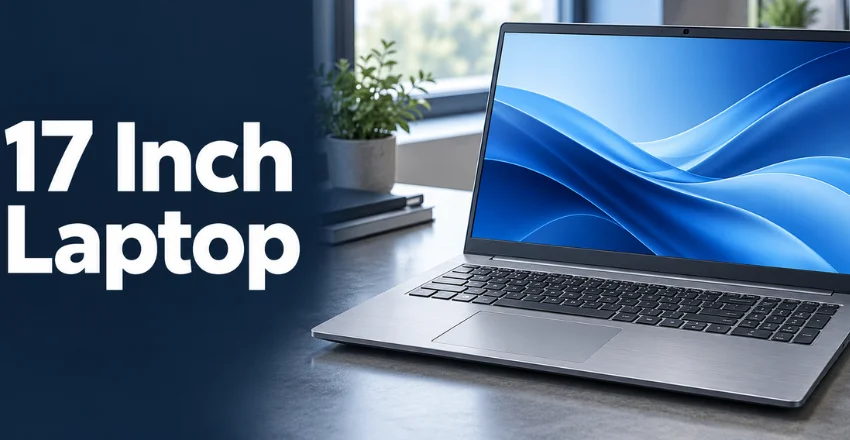
For most desk-based users, a modern 17.3-inch productivity notebook is the safest fit. Prioritize 16GB RAM, SSD storage, a good IPS-class display, and practical connectivity. A current model such as HP’s OmniBook 7 17.3 demonstrates that this category still has modern options in the U.S. market.
Choose a lightweight large-screen design if mobility remains important. Choose a gaming system only when you genuinely need dedicated graphics and sustained performance. In either case, compare a strong 16-inch alternative before placing the order.
The best buying rule is simple: pay for the screen and performance you will use every day. Do not pay extra merely because a product listing has a larger number. The complete configuration determines whether the machine remains useful for years.
Frequently Asked Questions
Is a 17 inch laptop too big?
A 17 inch laptop can feel too large for daily commuting or frequent air travel. It is much easier to live with when used mainly at home or in one office. Check physical dimensions because bezel size and aspect ratio affect the final footprint.
Is 17 inches good for gaming?
A 17-inch display can provide an immersive gaming experience without requiring an external monitor. The larger chassis may also provide more room for cooling. GPU performance, refresh rate, and thermal design still matter more than screen size alone.
Should I buy a 16-inch or 17-inch computer?
Choose 16 inches if you carry your computer regularly and still want generous workspace. Choose 17 inches when desk comfort and a larger view matter more. Compare resolution and aspect ratio because a 16-inch 16:10 panel can provide considerable vertical workspace.
How much RAM should a large-screen notebook have?
Sixteen gigabytes is a sensible starting point for general productivity and multitasking. Thirty-two gigabytes suits heavier creative tools, development work, and demanding games. Upgradeable memory can extend useful life without forcing a larger purchase today.
Can a 17-inch notebook replace a desktop?
It can replace a desktop for many users, especially when paired with a mouse and external storage. Gaming and workstation models can also handle demanding applications with suitable hardware. A desktop remains easier to upgrade and can offer more performance for the money.
Will a 17-inch computer fit in a normal laptop bag?
Not every standard laptop bag fits a large system safely. Check the device’s width, depth, and thickness against the compartment dimensions. Leave enough room for the charger without pressing it against the display.
Before You Buy
Shortlist two or three machines that fit your workload, then compare their complete specifications side by side. Check U.S. pricing, warranty terms, return policies, and the exact configuration before ordering. Model names often cover several versions with different displays, memory, storage, or processors.
If you plan to connect external monitors, test your required connection type before reorganizing your desk. Techirya’s DisplayPort troubleshooting guide can help if an external display loses its signal later. A little checking before purchase can prevent expensive compromises after delivery.