
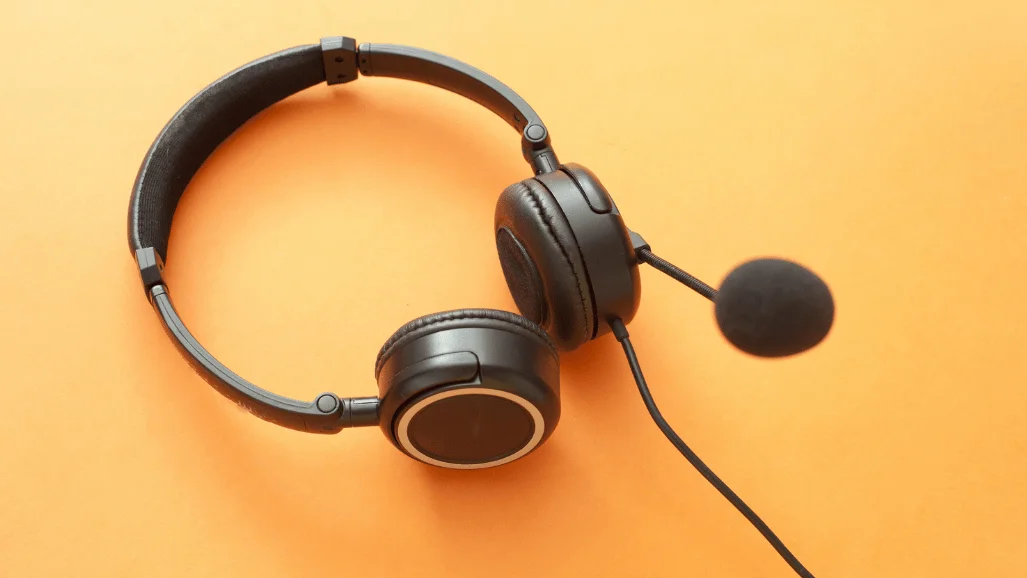
A headset with mic can make calls clearer, gaming communication easier, and long work sessions less frustrating. The right choice depends more on your use than on its longest feature list. Start with microphone quality, connection type, comfort, and device compatibility.
| Buying factor | What to prioritize | Why it matters |
|---|---|---|
| Work calls | Clear voice pickup, mute controls, comfort | Your voice needs to stay understandable during long meetings. |
| Gaming | Low-latency connection, boom microphone, platform support | Fast audio and reliable team chat matter during play. |
| Shared spaces | Mic noise reduction and optional ANC | These features solve different background-noise problems. |
| Laptop use | USB-C, USB-A, or reliable Bluetooth | The connection must match your available ports. |
| Multi-device use | Bluetooth multipoint or quick switching | Switching between a computer and phone becomes easier |
| Long sessions | Moderate weight and comfortable ear pads | Poor fit becomes noticeable after several hours. |
A good headset with mic should match your main use first: work calls, gaming, or mixed everyday use. Prioritize microphone clarity, comfortable fit, the right connection, and dependable mute controls. Choose wired USB for simple reliability, or wireless when mobility and multi-device switching matter more than charging.
TL;DR
- Choose wired USB when simplicity, predictable operation, and price matter most.
- Choose wireless for mobility, multi-device use, or a cleaner desk.
- Treat active noise cancellation and microphone noise reduction as separate features.
- A boom microphone is often useful when speech clarity matters most.
- Confirm PC, console, phone, and connector support before ordering.
- Test comfort and microphone quality during the return period.
Current Options Worth Comparing in the U.S.
There is no single model that suits every buyer. Work-focused products prioritize meetings, while gaming models emphasize latency and platform support. These current options show how different designs solve different needs.
| Model | Good fit for | Key features | U.S. pricing |
|---|---|---|---|
| Logitech H390 | Budget work and study | USB connection, rotating noise-canceling microphone, inline controls | $20.99 sale price when checked |
| Logitech Zone Wireless 2 ES | Hybrid work and noisy offices | Adaptive hybrid ANC, noise-canceling mics, Bluetooth, two-device switching | $159.99 when checked |
| SteelSeries Arctis Nova 5 Wireless | Multi-platform gaming | 2.4 GHz wireless, Bluetooth 5.3, USB-C dongle, 60-hour rated battery | Check the current U.S. price. |
| Razer BlackShark V3 Pro | Competitive wireless gaming | Detachable 12 mm mic, hybrid ANC, low-latency wireless | Standard variants start around $249.99. |
Prices and availability change frequently across U.S. retailers. Treat these figures as September 2026 reference points rather than permanent prices. Compare the final checkout price before making a decision.
Logitech H390: Simple Wired Choice
The H390 suits buyers who want straightforward USB audio without batteries or wireless pairing. Logitech includes inline volume and mute controls plus a rotating noise-reducing microphone. USB-A and USB-C versions are available on its current U.S. product page.
- Pros: Low current price, simple setup, physical controls, no charging.
- Cons: Wired design limits movement, and it lacks premium ANC features.
Logitech Zone Wireless 2 ES: Work-Focused Wireless Option
The Zone Wireless 2 ES targets meetings and shared workspaces rather than competitive gaming. Logitech lists adaptive hybrid ANC, noise-canceling microphones, and switching between two connected devices. Business specifications rate talk time up to 20 hours with ANC enabled.
- Pros: Strong work features, ANC, Bluetooth, multi-device switching.
- Cons: Costs much more than basic wired choices and still requires charging.
SteelSeries Arctis Nova 5 Wireless: Flexible Gaming Choice
The Arctis Nova 5 combines a low-latency 2.4 GHz link with Bluetooth 5.3. SteelSeries also lists a 60-hour rated battery and USB-C dongle support across several platforms. That flexibility suits players who alternate between gaming hardware and mobile calls.
- Pros: Broad platform support, two wireless modes, long-rated battery life.
- Cons: Gaming features may be unnecessary for buyers focused only on office calls.
Razer BlackShark V3 Pro: Premium Gaming Features
Razer positions the BlackShark V3 Pro around competitive wireless play and voice communication. It uses a detachable 12 mm microphone, hybrid ANC, and the company’s low-latency wireless system. Current U.S. variants sit around the $249.99 level before special editions.
- Pros: Detachable boom mic, ANC, gaming-focused wireless performance.
- Cons: Premium pricing makes little sense for basic Zoom calls or casual listening.
How to Choose a Headset With Mic in 7 Checks
Feature lists become easier to compare when you start with your daily routine. A gamer, remote worker, student, and customer-service agent have different priorities. Use these seven checks before comparing brand names.
- Define the main job. Decide whether calls, gaming, classes, music, or mixed use matters most.
- Check microphone design. Boom mics place the pickup closer to your mouth and can improve voice isolation.
- Match the connection. Confirm whether your device needs USB-C, USB-A, 3.5 mm, Bluetooth, or a wireless dongle.
- Check mute controls. A dedicated button or flip-to-mute boom is easier during fast conversations.
- Separate ANC from mic noise reduction. One changes what you hear, while the other changes what callers hear.
- Consider comfort. Check weight, ear-pad material, headband pressure, and adjustability for long sessions.
- Verify platform support. Console versions, USB dongles, software features, and chat support can differ between models.
Wired or Wireless: Which Connection Makes More Sense?
Wired models remove battery management and usually make setup simple. USB choices are especially practical for fixed desks, schools, and call-heavy workdays. A 3.5 mm connection can offer broader compatibility when devices provide a combined audio port.
Wireless designs trade that simplicity for movement and easier multi-device use. Dedicated USB wireless adapters can provide more predictable behavior than ordinary Bluetooth in certain computer workflows. Lenovo also notes that dedicated adapters may support lower latency and more consistent microphone behavior. For PC builds, check your front and rear audio ports before choosing a connector.
Microphone Noise Reduction Is Not the Same as ANC
These terms are easy to confuse because product listings often place them together. ANC reduces environmental sound reaching your ears, while microphone noise reduction cleans the voice sent to other people. A product can perform well at one task without excelling at the other.
Choose microphone noise reduction first when callers complain about keyboards or nearby conversations. Choose ANC when your own concentration suffers from office noise, travel, or household sounds. Buyers who need both should confirm that the specifications describe both functions separately.
Check Compatibility Before Paying
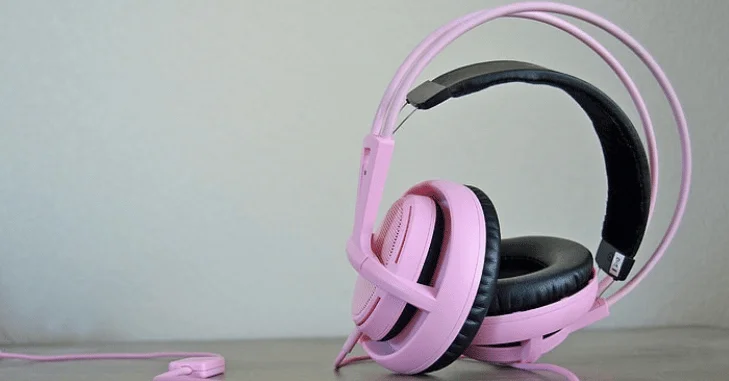
A USB model built for Windows and macOS may not offer the same features on every console. Gaming products can also have separate Xbox, PlayStation, and PC versions. Always read the platform list for the exact variant in your cart.
Portable gaming devices deserve the same check. Techirya’s 5080 Super shows how modern handhelds combine Bluetooth and USB connectivity. Gamers building a larger desk setup can also compare displays in the budget gaming monitor guide.
Video callers should think about the rest of their meeting setup too. Better audio cannot fix a dark or poorly framed video feed. Techirya’s streaming webcam guide covers autofocus, low-light performance, framing, and built-in microphone considerations.
How Much Should You Spend?
Current U.S. products show a wide price spread between simple work models and premium wireless gear. Logitech’s H390 was about $21 when checked, while Zone Wireless 2 ES was listed at $159.99. Razer’s premium gaming line starts near $249.99 for standard BlackShark V3 Pro variants.
A $20–$60 budget can cover basic wired communication well. Spending around $80–$180 adds more wireless, comfort, ANC, or business-oriented features. Above $200, make sure premium gaming, microphone, ANC, or connectivity features solve a real need.
Test Your Purchase During the Return Window
Specifications cannot tell you whether ear pressure becomes uncomfortable after three hours. They also cannot perfectly predict how your voice sounds inside your room. Run a short practical test while returns remain easy.
- Record thirty seconds of speech in your normal room.
- Type on your keyboard while speaking and listen for background pickup.
- Join your usual meeting or voice-chat application.
- Wear the device for at least one long work or gaming session.
- Test mute controls, volume buttons, and device switching.
- Confirm every computer or console you plan to use recognizes the microphone.
This test can reveal problems that impressive specifications hide. Keep packaging until you know the fit, microphone, and connection work for your routine. A cheaper model that passes these checks can deliver better value than an expensive mismatch.
Recommendation: Choose for the Primary Job
For a fixed office desk, start with a wired USB model unless you need mobility or ANC. For hybrid work, prioritize clean microphone pickup, comfort, multipoint connectivity, and dependable mute controls. Competitive players should prioritize platform compatibility and a low-latency wireless link before lifestyle features.
Do not pay for features you will rarely activate. A premium gaming model is unnecessary for occasional meetings, while a basic office pair may disappoint serious players. The strongest purchase is the one that fits your main activity and devices.
Frequently Asked Questions
Is a headset with mic better than separate headphones and a microphone?
An all-in-one design is more convenient for meetings, gaming, classes, and travel. A separate microphone can provide more control for recording or professional production. Your available desk space and need for mobility should guide the choice.
Is USB better than a 3.5 mm connection for a computer?
USB provides a digital audio path and can simplify setup on modern computers. A 3.5 mm connection offers broad compatibility with controllers, laptops, and other devices. Check whether your computer uses separate microphone and headphone jacks before buying.
Do I need active noise cancellation for work calls?
ANC is useful when background noise distracts you from hearing a conversation. It does not automatically improve the audio sent from your microphone. For outgoing call clarity, examine microphone noise reduction and voice pickup first.
Are wireless models good enough for gaming?
Modern gaming products can use dedicated 2.4 GHz wireless links designed for responsive play. Many also keep Bluetooth available for phones or secondary devices. Confirm the exact platform support because console compatibility can vary by version.
Make the Final Choice
Start with your primary device, room, and daily use before comparing premium features. Narrow the choices to two or three models that meet those requirements. Then compare microphone performance, comfort, connection type, return policy, and current U.S. pricing.