
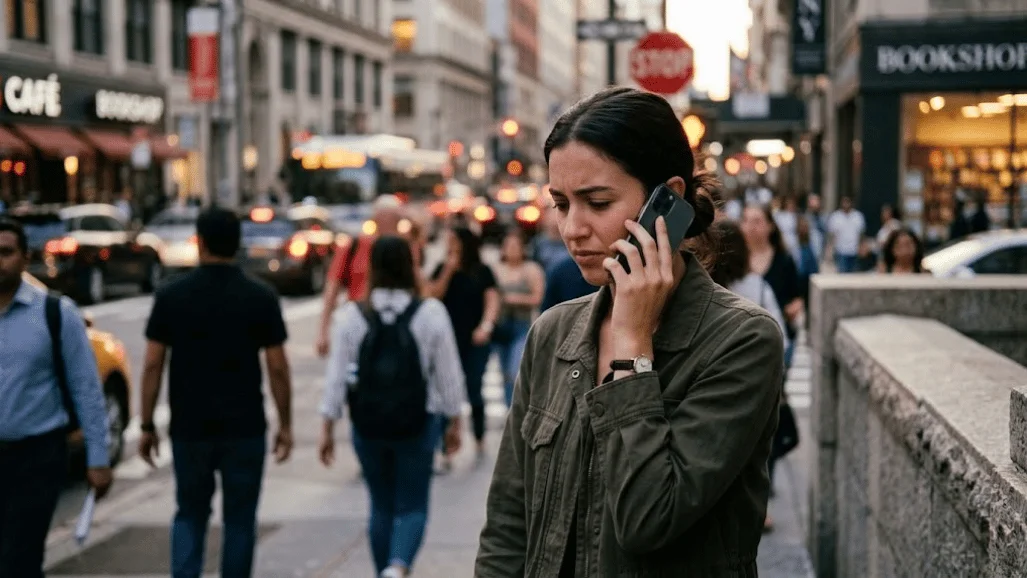
You call someone, but the phone never connects normally. Instead, an automated voice says “the wireless customer is not available.” The message usually means the mobile network cannot complete the call right now. It does not automatically mean the person blocked your number.
Quick answer: This carrier message usually means the destination phone or wireless line cannot be reached at that moment. Common reasons include poor coverage, a powered-off phone, Airplane Mode, an account problem, SIM or eSIM trouble, or temporary carrier routing issues. Blocking is possible in some situations, but the recording alone cannot prove it.
| What you hear or notice | Possible explanation | Best first step |
|---|---|---|
| Message plays immediately | Phone is unreachable, line issue, or routing problem | Wait briefly and call again |
| Only one number fails | Problem may involve that number or destination line | Verify the number and try another phone |
| Several calls fail | Your phone, account, signal, or carrier may be involved | Restart and check service |
| Phone shows SOS or No Service | Cellular registration or coverage problem | Move locations and reconnect |
| Text works but calls fail | Voice routing or call settings may be affected | Check calling settings and carrier service |
| Other callers can connect | Caller-specific filtering or routing is possible | Review blocking and filtering settings |
Key Takeaways
- The recording is usually a network availability message, not a precise diagnosis.
- A switched-off phone, weak signal, Airplane Mode, or outage can trigger failed calls.
- Account restrictions, SIM problems, and carrier routing can produce similar results.
- The recording does not confirm that your number was blocked.
- Testing another number or network can quickly narrow down the cause.
- Report persistent failures to your wireless carrier.
What Does The Wireless Customer Is Not Available Mean?
The phrase means the carrier could not successfully route your call to the destination line. It describes the result of the failed connection, not the exact cause. U.S. carriers use different recordings, so wording can vary between networks.
AT&T lists signal loss, Airplane Mode, blocked calls, forwarding, SIM problems, and suspended service among calling problems. Verizon also identifies signal conditions, network congestion, account issues, device settings, and destination-number problems. T-Mobile recommends checking the phone, network registration, calling features, and installed apps when calls fail.
The important point is that the announcement is broad. It can appear during a temporary problem that disappears minutes later. Hearing it once doesn’t reveal the recipient’s intentions.
Why You May Hear This Message
Several conditions can prevent a wireless carrier from reaching a mobile phone. Some originate on the recipient’s device, while others happen inside the carrier network. Checking the simplest causes first usually saves time.
1. The Recipient’s Phone Is Turned Off
A powered-off phone cannot register normally with its cellular network. A dead battery produces the same basic situation. Depending on voicemail and carrier configuration, callers may hear an unavailable recording instead.
Try again after several minutes before changing any settings. The recipient may simply be charging the phone or restarting it. Repeated failure over several hours deserves further troubleshooting.
2. The Phone Has Weak or No Cellular Coverage
Buildings, elevators, rural areas, underground spaces, and terrain can weaken mobile signals. Verizon notes that distance, obstructions, building materials, and network congestion can contribute to failed calls. Moving to a different location may restore service without any device changes.
An iPhone showing SOS, No Service, or Searching is not normally connected to its cellular carrier. Apple recommends reconnecting the phone and checking the carrier account when those indicators appear. Similar network-status warnings can appear on Android devices.
Techirya’s guide to Wi-Fi 6E versus Wi-Fi 7 explains modern wireless networking differences. Wi-Fi itself is separate from cellular service, but Wi-Fi Calling can provide another path on supported carriers.
3. Airplane Mode Is Enabled
Airplane Mode disables the phone’s ordinary cellular connection. Someone may activate it during a flight, meeting, or troubleshooting session and forget to disable it. Incoming cellular calls can fail while that setting remains active.
Apple recommends toggling Airplane Mode when troubleshooting cellular connection problems. AT&T also tells customers to confirm that Airplane Mode is off. Turning it off lets the phone try to register on the network again.
4. The Carrier Is Having an Outage or Routing Problem
Both phones can work correctly while the network path between them fails. Temporary outages, heavy traffic, maintenance, or inter-carrier routing problems can interrupt call completion. These problems may affect a location, one service type, or certain destinations.
This possibility becomes stronger when several people suddenly report failed calls. It also becomes more likely when multiple devices on the same carrier have similar problems. Checking your carrier’s service information can prevent unnecessary phone resets.
5. The Wireless Line Has an Account Problem
A suspended or restricted account may prevent normal voice service. Billing problems, incomplete number transfers, service changes, or plan restrictions can affect calling. Verizon specifically notes that account transfers and suspensions can interfere with service.
AT&T also advises customers to check whether wireless service has been suspended. Only the carrier can confirm some account-side restrictions. Contact support when the device has signal but calling remains unavailable.
6. The SIM or eSIM Is Not Registered Correctly
A physical SIM or eSIM connects the phone’s subscription to the carrier network. Registration problems can cause Emergency Calls Only, SOS, or similar status messages. Incoming calls may then fail because the line is not properly reachable.
Apple advises checking whether the cellular line is enabled and whether the SIM or eSIM is working. AT&T recommends checking the SIM when the phone displays an emergency-service warning. A carrier may need to reprovision or replace the line profile.
7. Call Forwarding, Filtering, or Blocking Is Involved
Call forwarding and filtering can change what happens before a call reaches the handset. Apple advises checking blocked contacts, call forwarding, Focus settings, and unknown-caller filtering when troubleshooting incoming calls. Carrier-level filtering services can also affect call behavior.
Blocking is one possible explanation, but it is not the only one. A carrier announcement cannot reliably distinguish intentional blocking from network failure. Use other evidence before drawing that conclusion.
8. The Number or Saved Contact Is Wrong
An outdated contact entry can create failures that appear more complicated than they are. A number may have changed, been disconnected, or been saved with incorrect digits. Manually dialing the verified number is a simple diagnostic test.
Verizon recommends testing problematic numbers from another phone. If every phone fails when calling the same destination, the issue probably involves that destination or its carrier path. If only your phone fails, troubleshoot your device and account.
Does It Mean Someone Blocked You?

No single carrier recording can confirm that someone blocked your number. Blocking can sometimes produce unusual call behavior, but network failures can look similar. Poor coverage, account restrictions, forwarding, and device settings remain equally important possibilities.
A useful test is to compare results without assuming the answer. If several unrelated callers receive the same recording, a line or network problem becomes more plausible. If only your calls fail consistently, investigate filtering or caller-specific routing.
Avoid repeatedly calling someone simply to test whether you were blocked. Use a reasonable alternative communication method when appropriate. Technical troubleshooting cannot establish another person’s intent.
8 Fixes to Try in Order
1. Wait and Call Again
Start with the least invasive fix. Wait several minutes, then call again. Temporary registration and routing problems often clear without intervention.
2. Confirm the Phone Number
Check every digit before calling again. Try entering the number manually instead of using a saved contact. An old or malformed contact entry can send the call to the wrong destination.
3. Test Another Number
Call someone else from your phone. If several destinations fail, your phone or carrier becomes a stronger suspect. If only one destination fails, focus on that line.
4. Restart the Phone
Restarting forces the device to reconnect with network services. AT&T, Verizon, and T-Mobile all include restarting as a basic call-troubleshooting step. Test another call after the restart finishes.
5. Check Airplane Mode and Signal
Make sure Airplane Mode is disabled. Look for usable cellular signal rather than relying only on Wi-Fi. Move outside or to another location if coverage appears weak.
6. Check Calling and Filtering Settings
Review blocked numbers, call forwarding, Focus modes, and unknown-caller filtering. iPhone users can inspect these options inside the Phone and Focus settings. Android menu names vary by manufacturer.
Readers who depend on calls for work may also find Techirya’s headset with mic guide useful. Better audio equipment won’t fix a carrier failure, but it can improve normal calls once connectivity returns.
7. Try Wi-Fi Calling When Supported
Wi-Fi Calling can help when cellular coverage is poor but broadband works. Apple says supported iPhones can make and receive calls through Wi-Fi when cellular signal is weak. Carrier and device support still determine availability.
A compatible wired headset can also be useful during Wi-Fi calls. Techirya compares current options in its wired USB-C headphones guide. That equipment changes audio input and output, not the carrier’s ability to route the call.
8. Contact Your Carrier
Contact the carrier when failures continue after basic troubleshooting. Give support the number called, approximate time, exact recording, location, and whether other numbers work. Those details help support staff investigate account or routing problems.
Ask them to check account status, voice provisioning, network registration, outages, and destination routing. Mention any recent number transfer, SIM change, or plan change. Carrier-side records can reveal problems unavailable through phone settings.
Caller Problem or Recipient Problem?
The pattern of failed calls is usually more useful than the announcement itself. One failing destination often points toward the recipient’s line, number, or carrier route. Several failing destinations make your own phone, account, or local network more suspicious.
Testing from another phone adds another useful clue. If a second phone reaches the person normally, investigate your line and settings. If both phones fail, the issue is more likely on the destination side.
Texts and mobile data do not always prove voice service is healthy. Cellular networks can handle messaging, data, and voice through different systems or provisioning. A phone may therefore browse normally while ordinary calls still fail.
When Should You Contact the Carrier?
One failed call rarely requires support. Persistent failures lasting through restarts, location changes, and repeated tests deserve attention. Problems affecting multiple contacts also justify carrier troubleshooting.
Contact support sooner if the phone shows SOS, No Service, or Emergency Calls Only for an extended period. You should also call after a recent SIM, eSIM, account, or number-porting change. Those events can create provisioning issues that users cannot repair themselves.
Keep the exact automated message available when speaking with support. Carrier systems may use different announcements for different routes. Precise wording can help the representative identify the relevant call records.
Frequently Asked Questions
Does “the wireless customer is not available” mean I was blocked?
No, the recording does not prove that your number was blocked. Network coverage, a powered-off phone, Airplane Mode, account restrictions, or routing failures can cause similar behavior. Compare several call attempts before reaching conclusions.
Can the message appear when the phone is turned off?
Yes, a powered-off phone can become unreachable to the cellular network. The exact caller experience depends on the carrier and voicemail configuration. Some calls may reach voicemail, while others may receive an automated announcement.
Why can I text someone but not call them?
Messaging and voice services don’t always follow the same network paths. A line can have a voice-routing or provisioning problem while data-based communication still works. Testing ordinary calls from another device can help isolate the issue.
Can Wi-Fi Calling fix the problem?
Wi-Fi Calling can help when the problem is weak cellular coverage on a supported device. It won’t fix a suspended account, an incorrect number, an intentional block, or a carrier routing failure. Both the carrier and phone must support the feature.
Should I reset network settings?
Treat a full network reset as a later troubleshooting step. It can erase saved Wi-Fi networks and other connection settings. Try restarting, changing location, and checking carrier service before resetting everything.
The Bottom Line
This announcement usually means the mobile network cannot complete the call at that moment. It doesn’t provide enough information to identify a single cause. Signal, device status, account service, SIM registration, and carrier routing all deserve consideration.
Start by retrying the call, verifying the number, and testing another destination. Then check signal, Airplane Mode, device settings, and Wi-Fi Calling. Contact the carrier if the failure persists or affects several calls.